
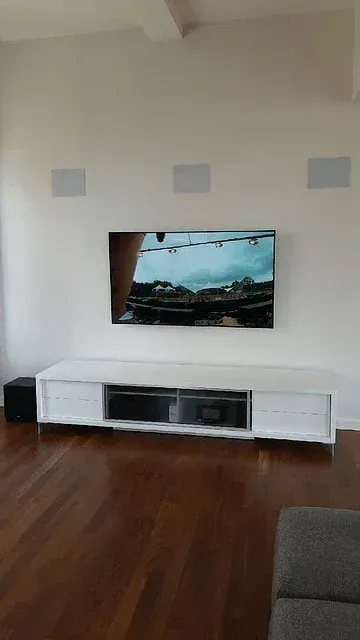
How to Choose The Right TV for Your Room or Home Theater Installation
⚡ QUICK SUMMARY
Eight things that matter when you pick a TV: stick to Sony, Samsung or LG; ignore the built-in speakers and Smart TV apps; size it at about half your seating distance in inches; prefer full backlight over edge-lit; know OLED vs. LED; look for HDR; and check the NITS (1,000+ for LED, ~550 for OLED). Do that and you really can't go wrong.
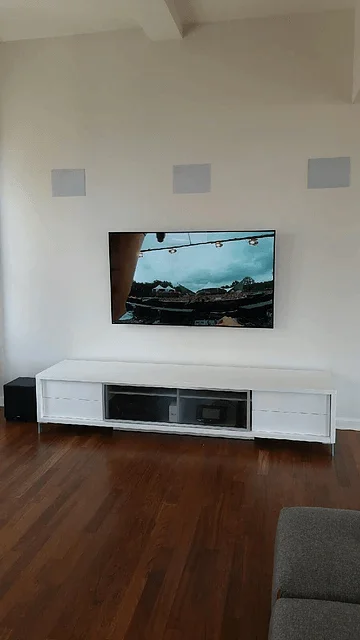
Mark's TV Buying Checklist
1Stick to the major brands
This is especially true if you are going to using a sound system, a universal remote or other third party devices. The major brands play nicely and have standard protocols that many of the budget brands lack. We recommend only Sony, Samsung and LG TVs for this reason
2Don’t worry about the speakers
The speakers on all modern TVs sound awful. In order to make the TV so thin, the speakers have been shrunken down and they are really an afterthought. Assume you will use either a 5.1 surround system or a sound bar
3Don’t worry about the Smart TV interface
None of the TVs implement it will. We recommend using a dedicated streaming device: Apple TV, Roku or Amazon Fire. The TV should provide the best picture possible and that is what you should base your decision on. It is a display device, use other, dedicated devices for content (streaming box, blu-ray player, cable box, game system, etc)
4Get the right size
A good method is to convert your viewing distance (from your eyes to the screen) to inches. THX recommends a screen diagonal that is 0.84x your seating distance, but that leads to some very large screens, like an 85” screen for a 12’ viewing distance. Instead we recommend clients divide the seating distance (in inches) in half and that is roughly the right size TV for your room. Don’t forget to take into account if you will also watch the TV from farther away - maybe from an open kitchen or a dining area behind the living room and go up a bit in size if that is the case. There are plenty of on-line calculators to use for calculating TV size.
5Edge-lit vs full back lit
With LED TVs, the screen is actually lit by a backlight and panel turns pixels on and off to allow that light to pass through or not. A few years ago when TVs became ultra-thin, the concept of an edge-lit backlight was introduced. This is much like it sounds - the light source is around the edge of the screen and is designed in such a way that it reflects off of materials behind the screen to light up the pixels. This can produce hotspots and also does not allow the backlight to be precisely turned on and off to lit up sections of the screen. With a full back light, the darks are darker and more inky, providing a better picture and better color. Many manufacturers have been able to reduce the size of the full back-light array so TVs with a full back light are only an inch or so deeper than TVs with edge light technology.
6OLED vs LED/LCD
OLED is the latest in screen technology and provides and amazing vibrant and realistic color palette with deep, rich blacks. The drawback is that is currently quite expensive, although prices are coming down and have dropped significantly in the past two years. LED/LCD is the technology that has been in use for the past several years. LCD is the Liquid Crystal Display that creates the image. LED is the backlight technology, which lights up the LCD screen.
7HDR
While most TV shoppers are focused on 4K resolution (2160p vs the prior standard of 1080p). There are basically twice as many pixels, so each one is smaller, making the picture sharper, although the human typically can not see the difference on popular screen sizes at a normal seating distance. What is important to look for, however, is HDR (high dynamic range). HDR expands the color gamut that a TV can reproduce, resulting in deeper, richer, more realistic colors. This, in turn, creates more detail on the screen. While there is not much content yet for 4K or HDR, there will be an that is something you should look for in your screen.
8NITS
While HDR does require much more information to recreate the wider color gamut, it also requires a much higher light output to do so accurately and well. Similar to the Lumens specification we have seen on projectors for years, NITS may become a more common spec we see in TV marketing. Basically a nit is a measure of light output by the TV screen. LED/LCD TVs capable of HDR should display at least 1,000 nits, while for an OLED screen, around 550 nits is the optimal. The reason for the disparity is that we are talking about High Dynamic RANGE. The key is that the TV is able to display the difference between a very bright part of the screen (say the sun shining) and a very dark part of the screen (deep shadows) on the same scene, with high accuracy
💡 Quick Size Rule
Divide your seating distance (in inches) in half. That is roughly the right TV size for your room. Sitting 10 feet (120”) away? Look at a 60-65” TV.
The Bottom Line
Honestly, other than the aesthetics of the TV - for example the color and thickness of the bezel around the screen, the thickness of the TV, etc, it really comes down to the size, OLED vs LED and NITS. You really can’t go wrong with what is available today as long as you stick to the major brands
Not sure which size or panel fits your room? We mount and calibrate TVs across NYC.
Get a TV Install EstimateAbout the Author
Mark Feinberg, Founder & CEO of Home Theater Advisors. Before founding HTA in 2011, Mark ran Product Management at ADI, one of the largest AV distributors in the country. He is a Certified Control4 Smart Home Dealer and CEDIA member, and HTA has earned multiple Houzz Best of Design Awards. Mark holds a BA from Dartmouth and an MBA from Duke's Fuqua School of Business. He lives in Manhattan with his family.
Ready for the Right TV, Installed Right?
Wire-free mounting, hidden cables, surround sound and universal remotes. Call or book a free consultation.
| Call (646) 450-1060 → | Book a Free Consultation |
